Instagram does not provide a native non-follower list. Learn how to check manually, why tracking apps trigger blocks, and how to pace your unfollowing.
This article was researched and drafted with AI, then checked and released by a person before it went live. The illustration is AI-generated. Every factual claim links to its source, so you can verify it yourself.
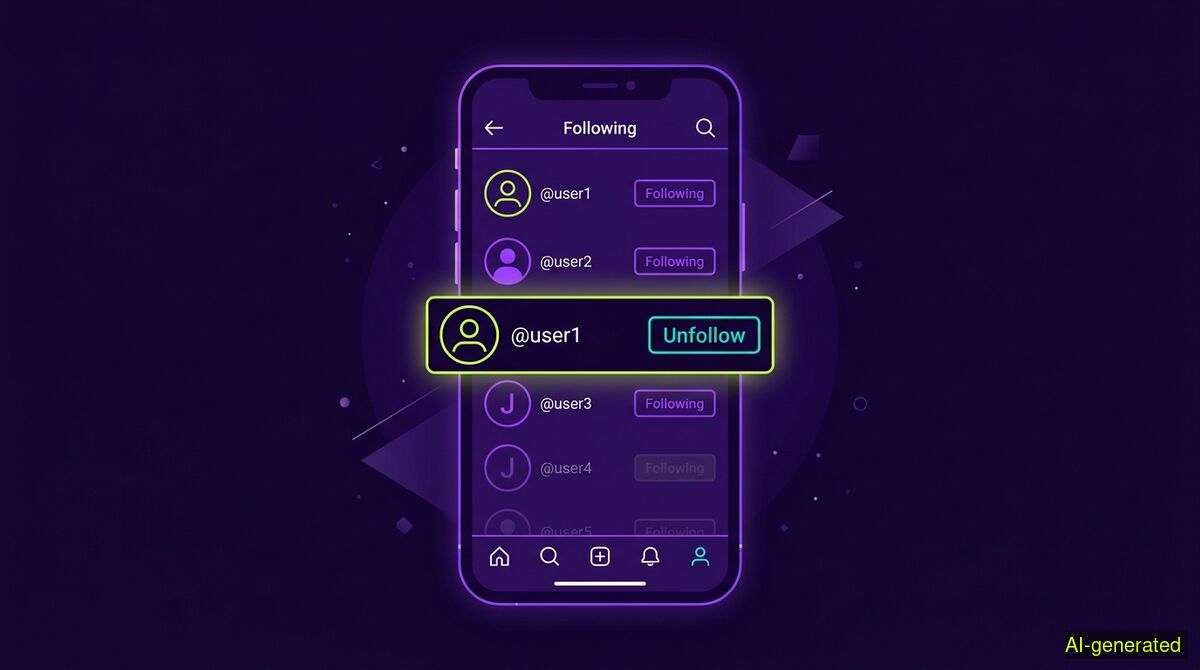
AI-generated illustration. A smartphone screen showing an Instagram following list with the unfollow button highlighted next to a profile.
To unfollow Instagram accounts that do not follow you back, you must check individual profiles for the "Follows you" label or use your "Least Interacted With" list as a starting point. Instagram has no built-in non-follower filter and penalizes third-party tracking apps that require your password.
Over time, your Instagram following list accumulates dead weight. You might have participated in a follow-for-follow trend, followed shops that have since closed, or simply realized that many people never returned the favor. If you are searching for an instagram unfollow non followers method, you will quickly encounter a hurdle: Instagram does not give you a button to do this.
The platform deliberately obscures who does not follow you back. Finding and removing these accounts requires either manual checking or careful automation. Doing it wrong, especially by moving too fast or handing your password to a shady app, will lock your account. This guide covers how to identify non-followers, the real limits Instagram places on your actions, and how to clean up your list safely.
Instagram wants you to stay on the platform and consume content. High follower counts look good, and unfollowing sprees reduce the overall network connections that feed the algorithm. Because of this, a 2026 SocialRails guide confirms that there is no native unfollower alert and no built-in list of accounts that do not follow you back.
Instead, the app offers a few limited sorting tools. If you open your Following tab, you can sort the list by the date you followed them, which helps locate old accounts you forgot about. You can also view a "Least Interacted With" category. As WhoUnfollowed noted in 2026, this list surfaces the top 50 accounts you barely engage with. It is a useful cleanup tool, but it answers a different question entirely. Someone can be in your least interacted list and still follow you, or they could be a highly engaged non-follower. Mixing up these two concepts leads people to unfollow active friends by mistake.
To verify if a specific person follows you, you must visit their profile. If they follow you, a small "Follows you" label appears near their bio. If the label is missing, they are a non-follower. Doing this for five people takes a minute. Doing it for five hundred people is a tedious project that spans several days.
The lack of a native non-follower list drives users toward third-party tracker apps. These apps promise to show exactly who unfollowed you and who never followed back. However, they carry significant risks that often outweigh their convenience.
To scan your followers, these apps usually require your Instagram password to log in as you on their own servers. Instagram security systems flag this immediately. A login from a new, unrecognized IP address, followed by rapid API requests to scrape your follower list, looks exactly like a hijacked account or a bot network attempting to harvest data.
Instagram responds by forcing a password reset or temporarily restricting the account. Furthermore, handing over your credentials violates the platform terms of service. You lose control of your data and risk losing the account entirely. If an app asks for your password to show you non-followers, it is safer to walk away.
If you decide to manually check profiles and tap unfollow, you must pace yourself carefully. Instagram enforces strict caps on how many accounts you can follow or unfollow in a given timeframe.
The only official number Instagram publishes is a hard cap of 7,500 total followed accounts, as Plumefy reported. The daily and hourly limits for the unfollow action itself are kept deliberately vague to prevent abuse. Unfollr explains that these thresholds depend on your account age, history, and standing. New accounts have very low thresholds, while older, active accounts can do more before triggering alarms.
When you cross one of these unpublished limits, Instagram stops the action abruptly. The app will display an error message stating "Try again later" or "Action Blocked", as detailed by TechPrevue. This means your ability to follow or unfollow has been suspended to protect the community from spam.
To avoid triggering these blocks, manual cleanup requires patience. Gramlens suggests that manually unfollowing caps out safely near 10 accounts an hour for an average user. If you hit an action block, the only remedy is to stop the restricted activity immediately and wait for the temporary ban to lift, which can take anywhere from a few hours to several days. ShadowPhone advises setting a conservative operating range and watching the platform feedback before pushing further.
If checking hundreds of profiles manually sounds impractical, you can automate the process, but the method you choose matters. The safe approach is to use a tool that operates entirely within your own browser, using your existing logged-in session rather than a remote server.
The wyper Social Cleanup Chrome extension is built for this exact scenario. It offers two specific modes for managing network connections: it can bulk-unfollow accounts, and it can remove followers (forcing them to unfollow you). Beyond connections, it can also clear posts, replies, comments, likes, and reposts on X and Instagram. For these content types, it relies on a keyword filter where you delete only items containing a specific word, @name, or #tag. It also offers an inverted option that deletes everything not containing your chosen keywords. There is no date filter and no date range option, so you cannot automatically delete items older than a certain timeframe.
This architecture comes with a necessary trade-off. Because wyper holds no standing authorization to your account, it cannot run on a schedule while you are away. Competing cloud services can schedule tasks precisely because you handed them the keys to your account. We never ask for those keys, so the tab must remain open while the extension works. While a long run processes, the extension can display small games to pass the time.
To respect Instagram limits, the extension paces its actions and includes necessary pauses. The free tier allows 50 deletions or unfollows per day, which naturally keeps you well under the radar of aggressive bot filters. The Pro tier removes this daily limit and provides a deletion receipt showing the count of actions taken, along with a shareable proof link. Note that any unfollow, removal, or content deletion is irreversible, and there is no export or download feature to save your data first.
| Feature | Manual cleanup | wyper Social Cleanup extension |
|---|---|---|
| Cost | Always free | Free tier (50/day) and Pro tier |
| Account access | None required | None required (runs in browser) |
| Data privacy | Stays on your device | Stays on your device |
| Speed | Very slow (manual checks) | Automated pacing and pauses |
| Effort | High (checking profiles one by one) | Low (runs in open tab) |
| Scheduling | None | None (requires open tab) |
| Receipts | None | Pro tier provides shareable count |
Who needs which: The manual cleanup route is best for users who only need to prune a handful of accounts. It costs nothing, requires no installation, and guarantees complete control over every tap. The wyper Social Cleanup extension is built for users who need to process hundreds of accounts and want to automate the tedious tapping, but refuse to hand over their Instagram password to a third-party server.
Instagram hides non-followers by design, forcing users to check profiles manually or risk their accounts by using unauthorized password-scraping apps. You can automate the cleanup safely by using a browser extension that operates within your own logged-in session without requiring account credentials. Always pace your unfollows to avoid triggering an action block.
The wyper Social Cleanup extension bulk-deletes posts, replies and likes, with filters instead of one tap per post.
The web app installs to your home screen in one tap. No store, no account.
Already using it? ★★★★★ Rate it on the Chrome Web Store. Reviews decide what others get shown first.
 wyper