Learn how to soft-block users on X, use the native follower removal feature, and clean up your follower list in bulk using browser-based tools.
This article was researched and drafted with AI, then checked and released by a person before it went live. The illustration is AI-generated. Every factual claim links to its source, so you can verify it yourself.
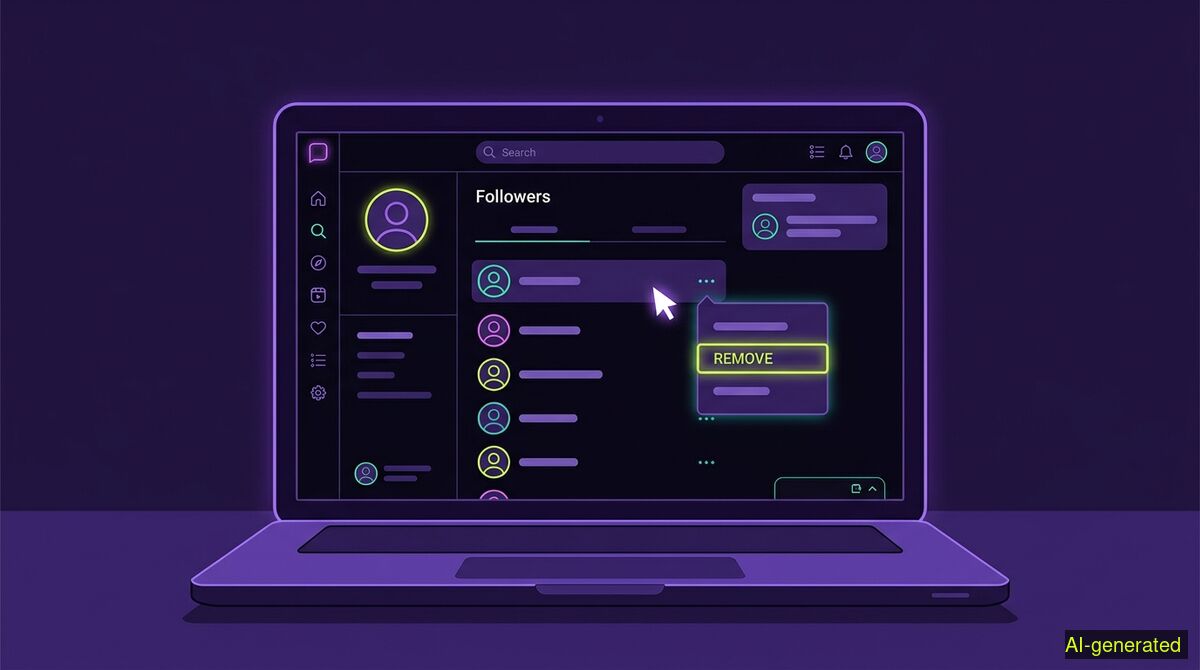
AI-generated illustration. A laptop screen displaying a social media follower list with a cursor hovering over a removal menu.
You can remove a follower on X by opening their profile, clicking the three-dot menu, and selecting "Remove this follower" to break the connection silently. This stops your posts from appearing in their feed without issuing a formal block or sending a notification. For cleaning up large lists of unwanted followers, browser extensions can automate this process using keyword filters.
Managing your online presence often means curating who gets to see your updates. If you have spent years on social media, your audience has likely accumulated a mix of active peers, abandoned accounts, spam bots, and people you no longer wish to share your thoughts with. When users search for how to remove followers X provides a few different paths. The traditional method was always a hard block, but social media norms have evolved. Today, many users prefer a quieter approach to audience management.
The rules of engagement on the platform formerly known as Twitter have changed significantly over the last few years. The tools available to manage your audience have shifted alongside those rules. Understanding the difference between a formal block, a mute, and a follower removal is essential for keeping your feed and your followers list clean without starting unnecessary conflicts.
For a long time, blocking someone on social media was a definitive and invisible wall. If you blocked a user, they vanished from your feed, and you vanished from theirs. They could not see your posts, reply to your threads, or send you direct messages. It was a complete severance of the digital tie.
However, platform mechanics rarely stay static. As SmashingApps documented, X changed how the block feature functions in late 2024 and continued adjusting it through 2025. Under the updated mechanics, a blocked user can still view your public posts if they navigate to your profile. The block restricts their ability to interact: they lose the ability to reply, repost, or send direct messages. Because the block no longer serves as an absolute visual shield for public accounts, many users have started looking for alternative ways to manage who subscribes to their daily updates.
This shift in platform mechanics has accelerated a behavioral trend that was already growing among younger internet users: the desire to create digital distance without the finality or the notification of a hard block.
A soft block is a subtle way of breaking an online connection without drawing attention to the separation. As News9live notes, the term originated on Twitter and describes a method of managing boundaries where you simply want a person to stop following you or seeing your updates in their usual feed.
When you soft-block someone, you force their account to unfollow yours. If your account is public, they can still search for your profile and read your posts. The crucial difference is that your posts will no longer be pushed directly into their algorithmic timeline. The Indian Express explains that this practice creates distance without a formal block function, making it a popular choice for people who want to reduce their exposure to certain individuals without completely cutting off digital access.
People choose this route for various reasons. Vice reported that soft blocking can protect your peace when you are avoiding a direct confrontation. It is a gentle boundary. It is also highly effective for basic account hygiene. If you are trying to clean up a list cluttered with automated bots or inactive accounts, issuing thousands of hard blocks is unnecessary. You just need those accounts off your follower list so they stop skewing your engagement metrics.
In the past, executing a soft block required a manual workaround. You had to block the user and then immediately unblock them. This action forcibly severed the follow connection in both directions. While that workaround still functions, X eventually introduced a native feature to handle this exact scenario.
You can now remove a follower directly from your followers list or from their profile page. This built-in feature is silent. The platform does not send a push notification or an email alerting the person that they have been removed. They will only realize they are no longer following you if they notice your absence in their feed or if they visit your profile and see that the "Following" button has reverted to "Follow".
To use the native tool, navigate to your profile and click on your followers list. Find the account you want to remove, click the three-dot menu next to their name, and select "Remove this follower". You can also do this by visiting their profile directly, clicking the three-dot menu at the top of their page, and selecting the same option. This works seamlessly for a handful of accounts.
The native removal tool is perfect for individual interactions. It falls apart completely when you need to manage an audience at scale. If a viral post attracts hundreds of spam accounts, or if you decide to pivot your professional focus and want to clear out a specific demographic of old followers, clicking a three-dot menu hundreds of times is simply not viable.
This is where third-party tools come into play. When users look for bulk solutions, they often encounter web services that require them to log in with their social media credentials. These competing tools typically require OAuth access to your account. This is a genuine and important technical distinction. Because you grant them standing account access and they run on their own servers, those services can delete posts or remove followers on a schedule, even while you are asleep. They can do it because you gave them the keys.
We take a different approach. The wyper Social Cleanup Chrome extension operates entirely without API keys, without OAuth authorization, and without asking for your password. Its only browser permissions are storage and activeTab. It acts strictly within the tab you already have open, logged in as yourself.
Because we hold no authorization, we cannot delete on a schedule or while you are away. No tab, no run. We cannot do it because we never ask for the keys. This is a deliberate trade-off designed for users who want to retain absolute control over their account security.
When using the extension to remove followers on X or Instagram, you have specific filtering options. You can use a keyword filter to target accounts. This allows you to remove only items containing a specific word, an @name, or a #tag. You can enter several keywords separated by commas. There is also an INVERT option, which removes everything that does not contain your chosen keywords.
It is important to understand the limitations of this system. There is no date filter and no date range available. You cannot set the tool to "remove everyone who followed me before 2023". The honest answer is that keywords are the available filter. Furthermore, there is no export and no download of your content or your follower lists.
The extension offers a free tier that allows 50 deletions or removals per day. The Pro tier removes this daily limit and produces a deletion receipt. This receipt contains counts only, never user content, and provides a shareable proof link.
Finally, whether you are deleting your own posts or removing followers, the action is irreversible. The extension will warn you before it starts working through your list. Once a follower is removed, you cannot restore the connection automatically. They would have to choose to follow you again manually. If you are running a long cleanup list, the extension can show small games in the browser while it works through the queue.
| Feature | Manual cleanup | wyper Social Cleanup extension |
|---|---|---|
| Platforms supported | X, Instagram | X, Instagram |
| Account access needed | Native logged-in session | Native logged-in session (no OAuth) |
| Cost | Free | Free tier (50 actions/day), Pro available |
| Bulk follower removal | No, one by one | Yes |
| Filtering | Visual scanning | Keyword filter and INVERT |
| Date filters | None | None |
| Scheduled runs | No | No (requires active open tab) |
| Export data | No | No |
Who needs which: The manual route is best for users who only need to remove a few specific accounts after a minor disagreement, as it requires zero setup and uses tools already built into the app. The wyper Social Cleanup extension is built for users who need to clear out hundreds of spam bots or inactive accounts in one sitting, provided they are willing to leave a browser tab open while the keyword filters process the list.
Soft-blocking or removing a follower on X allows you to curate your audience quietly without the confrontation of a hard block. You can manage this manually through the native profile menus for individual accounts. For larger cleanup tasks, browser extensions can automate the removal process using keyword filters while relying entirely on your active, logged-in session.
The wyper Social Cleanup extension bulk-deletes posts, replies and likes, with filters instead of one tap per post.
The web app installs to your home screen in one tap. No store, no account.
Already using it? ★★★★★ Rate it on the Chrome Web Store. Reviews decide what others get shown first.
 wyper
wyper