Learn how to verify viral social media videos by spotting AI visual glitches and contextual errors, using a recent fake London Tube video as a guide.
This article was researched and drafted with AI, then checked and released by a person before it went live. The illustration is AI-generated. Every factual claim links to its source, so you can verify it yourself.
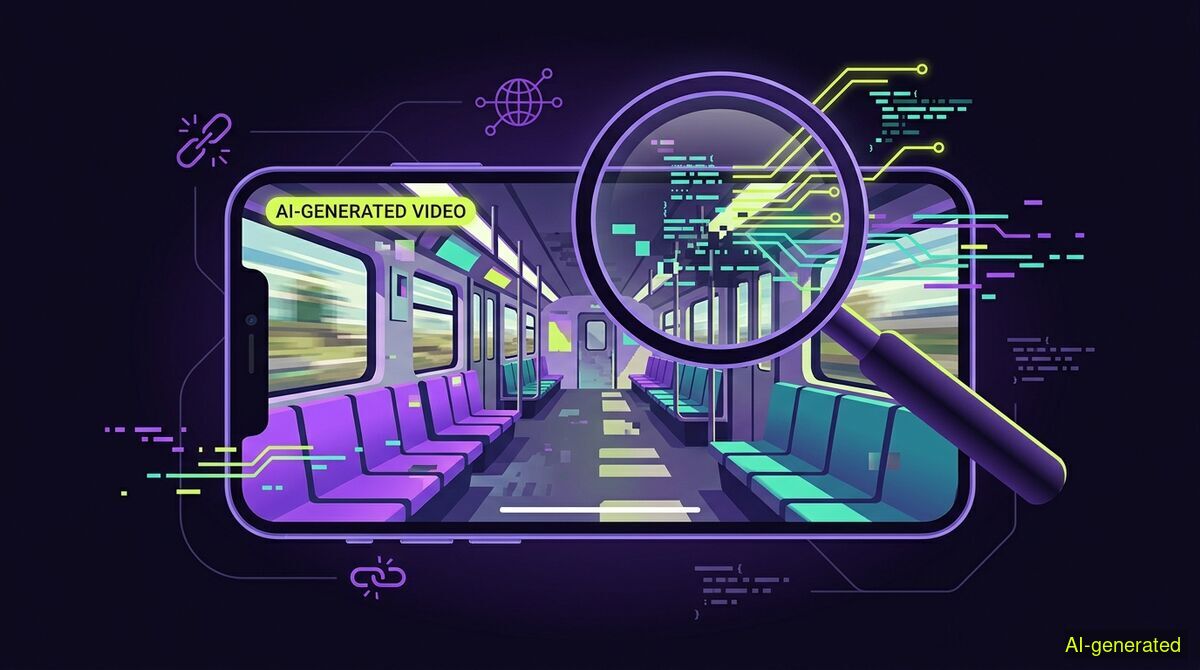
AI-generated illustration. A magnifying glass held over a smartphone screen showing a distorted, computer-generated video of a train carriage.
You can spot AI-generated fake videos by looking for visual glitches, checking for contextual inconsistencies, and running keyframes through reverse image searches. AI tools often struggle with fine details and physics, leaving visual clues that reveal the footage is synthetic rather than a real recording.
Social media feeds are increasingly populated by video content designed to trigger immediate emotional reactions. When a video sparks sudden outrage, anxiety, or confirmation of a deeply held belief, the impulse to share it is strong. However, the barrier to creating convincing synthetic media has dropped significantly, and this week has provided clear examples of how AI-generated and recycled videos are used to manipulate public perception.
On August 5, 2026, a highly inflammatory video began circulating on platforms like Facebook and X. The footage claimed to show a group of Muslim men blocking a carriage on the London Underground to pray mid-journey, with a caption reading: "MUSLIMS BLOCKING THE TUBE IN LONDON AND FRUSTRATING COMMUTERS !!!!!" The video included ambient audio of frustrated passengers saying things like "we can’t get off" and "can I get to work please."
According to a debrief by Full Fact, the video is entirely fake. It was generated using artificial intelligence. The fact-checking organization noted that the video contained visual glitches typical of AI generation, and the depiction of the prayer itself was inconsistent with how real Muslim prayers are conducted. The video was engineered specifically to exploit cultural tensions and generate engagement through outrage.
This specific incident is part of a broader, ongoing pattern of video-based misinformation that relies on either artificial generation or the recycling of old footage out of context. Geopolitical events are frequent targets. On August 4, 2026, Misbar debunked a viral video claiming to show Iran successfully shooting down a United States F-35 fighter jet. In reality, the footage was not a genuine military recording but a composite created by splicing two separate, unrelated clips together.
The consequences of this type of misinformation extend beyond digital engagement and can impact physical security and border control. During the recent migrant surge in Ceuta, where tens of thousands of people attempted to cross from Morocco into the Spanish enclave, social media platforms played a direct role in escalating the crisis. Rumors spread rapidly online claiming that the border was open and that migrants would be bused to mainland Spain.
As reported by Euronews, the information ecosystem surrounding the Ceuta crossings was heavily polluted with AI-generated photographs and recycled older footage, all paired with misleading captions to muddy the waters. The situation reached a threshold where EU Executive Vice-President for Tech Sovereignty, Security and Democracy Henna Virkkunen had to intervene. According to The Local, Virkkunen held talks with Meta and TikTok, demanding that the platforms "act decisively" to stem disinformation during crisis situations and maintain the integrity of the digital space.
Recycling old footage to fit a current narrative is just as common as AI generation, and often easier to execute. This week, a viral video claiming to show fresh evidence of corruption at South Africa's Home Affairs department was revealed by News24 to be seven years old. Similarly, India Today fact-checked a video claiming to show a man being swept away during recent floods in Kerala, India. The footage was actually old video showing flooding in Karachi, Pakistan, and had been circulating online since at least August 2025.
To navigate this environment, readers must develop the reflex to verify video content before accepting its premise or sharing it. Verification is a methodical process that relies on observation and basic digital tools.
You can perform these verification steps manually, or you can use software to assist in gathering the context. For instance, you can use the free wyper web app to paste the URL of a suspicious post and receive a truth score accompanied by an evidence chain of real sources.
| Feature | Manual checks | wyper web app | wyper extension |
|---|---|---|---|
| Cost | Free | Free | Free |
| Setup required | None | None | Browser installation |
| Privacy | No data leaves browser | URL sent for analysis | Page context analyzed |
| Speed | 5-10 minutes | Seconds | Instant on-page |
| Evidence chain | You compile it | Provided with sources | Provided with sources |
Who needs which: Manual checks are best for researchers and journalists who require absolute control over their investigation process and prefer not to share any browsing data or URLs with third-party tools. The wyper web app is ideal for casual users on mobile devices or work computers who want to quickly verify a specific link without installing any software. The wyper extension is designed for frequent social media users who want real-time, automated fact-checking context layered directly over their feeds as they browse.
The next time you encounter a video that makes you immediately angry or anxious, stop and test these skills. Take a screenshot, run a reverse image search, or analyze the visual details for AI artifacts. Once you find the real context behind the footage, reply to the original post with your findings and a link to a credible source. Fact-checking is an active process, and sharing the evidence chain helps slow the spread of manufactured outrage.
Viral videos designed to spark outrage, like the AI-generated clip of Muslims praying on the London Underground, are increasingly common on social media. You can verify these claims by looking for visual AI glitches, checking contextual logic, and using reverse image searches on video keyframes. Always pause and verify the evidence before sharing emotionally charged content with your network.
The wyper Fact-Check extension runs these checks on the post itself: truth score, evidence chain, and the date gap that catches recycled footage.
The web app installs to your home screen in one tap. No store, no account.
Already using it? ★★★★★ Rate it on the Chrome Web Store. Reviews decide what others get shown first.
 wyper
wyper