Once a tweet is deleted from X, it is gone from their active servers. Learn why deletion is permanent and what to save before you clear your timeline.
This article was researched and drafted with AI, then checked and released by a person before it went live. The illustration is AI-generated. Every factual claim links to its source, so you can verify it yourself.
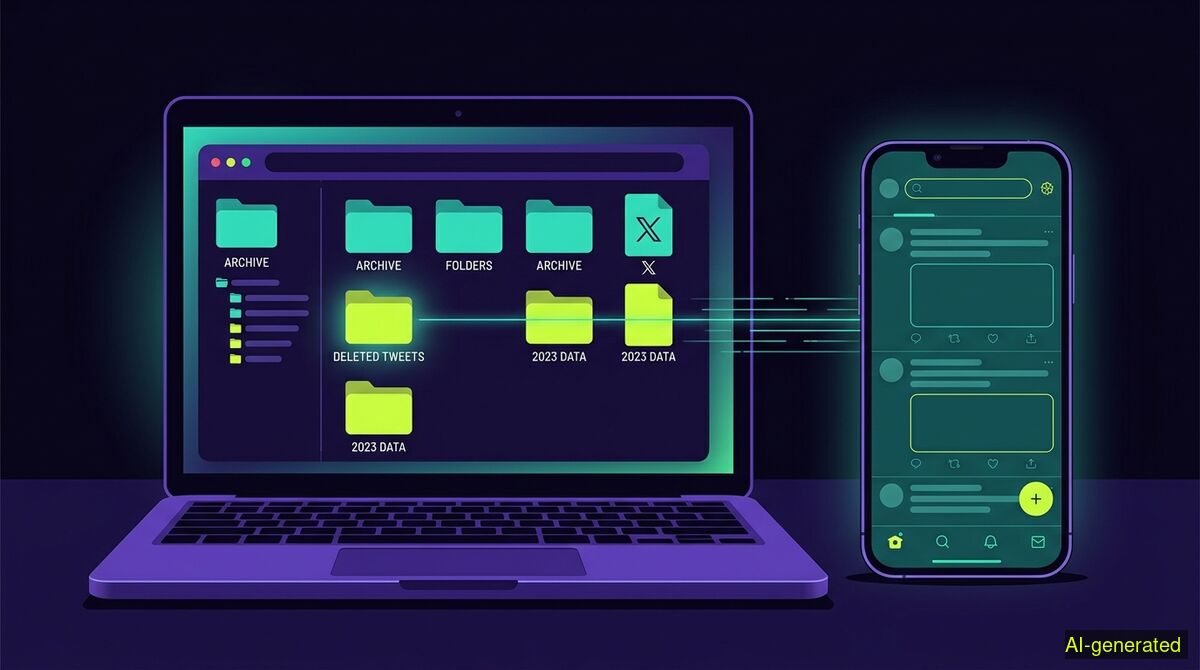
AI-generated illustration. A laptop screen displaying a data archive folder next to a smartphone showing a blank social media timeline.
You cannot undo delete tweets on X once the platform processes the removal. If you want a record of your past posts, you must request and download your data archive from your account settings before you start deleting any content.
People often remove a post in a hurry and immediately regret it. If you are searching for a way to undo delete tweets, you are looking for a feature that does not exist. X does not provide a trash bin or a recovery folder for your timeline. Once you confirm the removal of a post, the platform processes the request and the action is permanent.
As Substream Magazine reported in May 2026, deleting a post is a direct account action that removes the text from your live profile, and there is no normal undo button for the public to use. The interface is designed for finality. This catches many users by surprise, especially those accustomed to email clients or photo galleries that hold deleted items in a temporary folder for thirty days. On X, there is no grace period for individual posts.
When you click delete, X takes the post out of public view immediately and eventually removes it from their internal servers, a process Tweet Archivist noted in early 2026. You cannot log into your account settings, flip a switch, and restore a missing conversation. The data simply leaves the active database.
Because the platform offers no built-in recovery, many websites promise to restore your deleted posts for a fee. They claim they have secret access to hidden databases or special tools that can force the platform to hand over erased data. These claims are entirely false.
According to a 2026 guide by SocialRails, there is no reliable or guaranteed way to see any deleted tweet on demand. X does not maintain a secret backdoor for third-party developers to access erased user content. If a tool claims it can recover anything you erased, it is selling something that does not exist. You can only see a deleted tweet if something captured a copy before it disappeared.
This means you are reliant on external snapshots. The deleted text might have been archived by the Wayback Machine, as wikiHow explained in late 2025, but this requires someone to have manually saved your specific profile page on the exact day the post was live. For average users, this is incredibly rare.
Because deletion is permanent, you must secure your own copies before you start cleaning up your profile. Your only reliable safety net is the platform's official data export tool. As Delist.ai advises in its privacy guide, you must request this export, wait for the file to generate, and save it locally before you initiate any deletion. You cannot get the data back afterward.
X allows you to request an archive of your account data through your settings menu. This file contains your past posts, media files, and direct messages. Dr.Fone's data recovery guide points out that you can download your own archive to view basic metadata of your deleted posts, provided the request falls within a narrow window. However, the safest approach is to assume that once a post is deleted, it will not appear in any future archive requests.
Therefore, you must plan ahead. Go to your settings, request the archive, and wait. It often takes a day or more for the platform to compile your data. Wait for the download link to arrive in your email, download the zip file, and open it on your computer to verify that your history is intact. Only then is it safe to begin clearing your live profile.
While X removes the post from your active profile, traces of it might survive outside your control. CypherpunkGuide points out that deleting a post hides it from the live timeline but does not erase it from external caches, data brokers, or AI training sets.
Search engines might hold the text in their cache for a few weeks until they crawl your profile again. Other users might have taken screenshots of your text or saved your images directly to their devices. As OfflistMe documented in its deletion guide, search results, reposts, mentions, and recipient copies require separate review because they live outside the platform's direct control.
This asymmetry is a core reality of social media. Your posts disappear, but mentions of you by others persist. The Queen Zone explained in September 2026 that anything other people have saved, screenshotted, downloaded, or reposted may remain outside your control indefinitely. Deleting your side of the conversation does not delete the replies sent to you.
Once your archive is safely stored on your hard drive, you can begin removing old content. Manual deletion works well if you only need to remove a few recent posts. You simply scroll down your profile, open the menu on each post, and select delete. However, if you want to remove hundreds of replies or clear out old likes, manual scrolling becomes a tedious chore.
This is where automation helps. The wyper Social Cleanup Chrome extension allows you to bulk-delete posts, replies, comments, likes, reposts, and follows on X and Instagram. The tool is designed around the reality that deletions are irreversible. The extension says so itself before starting. There is no undo function and no export feature built into the tool, which is exactly why you must secure your own archive first.
Many competing cleanup services ask you to grant them OAuth authorization. This gives their servers standing access to your account. They require this access so they can delete posts on a schedule or while you are away from your computer. We take a different approach. Because we hold no authorization, we cannot delete on a schedule or while you are away. They can do it because you gave them the keys, while we cannot because we never ask for them. The wyper extension uses no passwords and no API keys. Its only browser permissions are storage and activeTab, meaning it acts strictly in the tab you already have open, logged in as yourself.
When you set up a cleanup run, you must understand the available filters. There is no date filter and no date range option in the extension. The honest answer is that keywords are the available filter. You can instruct the extension to delete only items containing a specific word, an @name, or a #tag. You can enter several keywords separated by commas. There is also an INVERT option that deletes everything not containing your chosen keywords, which works on X posts and replies.
Both wyper products have a free tier. For Social Cleanup, the free tier allows 50 deletions per day. The Pro tier removes this limit and produces a deletion receipt. This receipt shows counts only, never the content, and provides a shareable proof link. If you are running a massive cleanup that takes time to process, the extension can show small games while the long run works through the list.
| Feature | Manual cleanup | wyper Social Cleanup extension |
|---|---|---|
| Account access required | None, you do it yourself | None, acts in your open logged-in tab |
| Cost | Free | Free tier (50/day), Pro tier (unlimited) |
| Speed | Slow, one by one | Automated in the active browser window |
| Filtering options | Visual scanning | Keyword match, comma separated, or INVERT |
| Data export | Built-in X archive request | None, you must request your X archive first |
Who needs which: Manual cleanup is the best choice for users who only need to remove a handful of recent posts and want to ensure no extra software touches their browser. The wyper Social Cleanup extension is built for users who need to clear thousands of likes, replies, or keyword-specific posts across X and Instagram, but who refuse to hand over OAuth access keys to third-party server farms.
There is no way to undo a deleted tweet once the platform removes it from its active servers. If you want to keep a record of your history, you must request your data archive before you begin clearing your timeline. Always secure your local copy first, because once the content is gone, it is gone for good.
The wyper Social Cleanup extension bulk-deletes posts, replies and likes, with filters instead of one tap per post.
The web app installs to your home screen in one tap. No store, no account.
Already using it? ★★★★★ Rate it on the Chrome Web Store. Reviews decide what others get shown first.
 wyper
wyper