Learn how to verify war videos using geolocation, timeline checks, and source analysis before you share them on social media.
This article was researched and drafted with AI, then checked and released by a person before it went live. The illustration is AI-generated. Every factual claim links to its source, so you can verify it yourself.
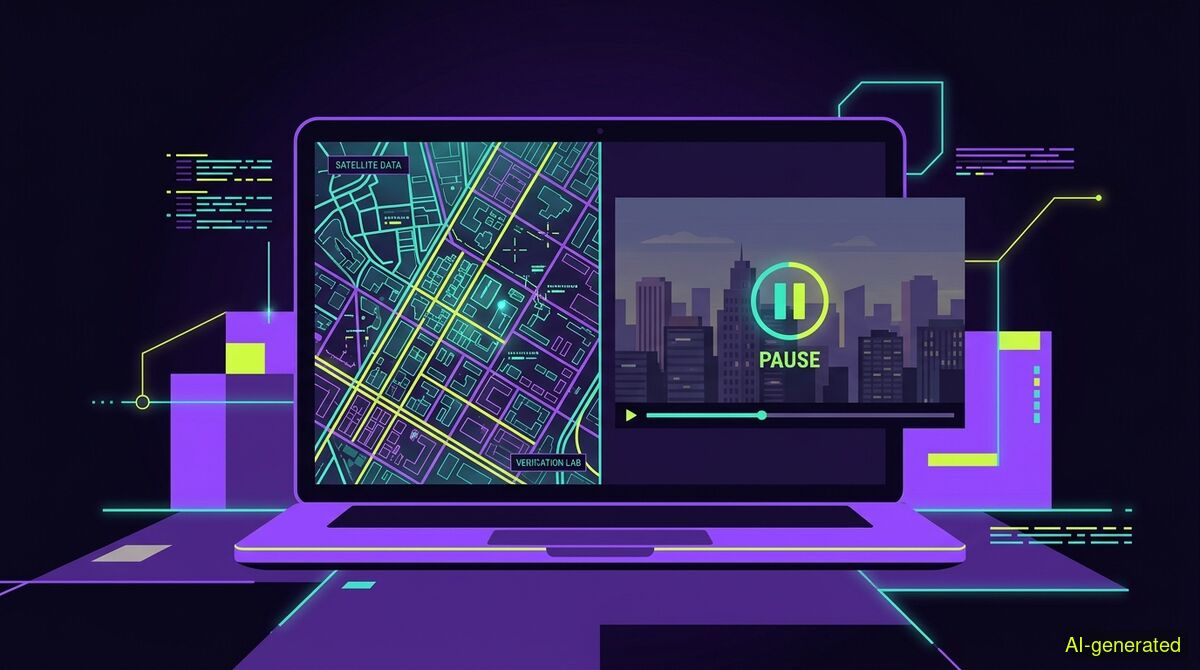
AI-generated illustration. A laptop screen displaying a satellite map next to a paused video player showing a city skyline.
To verify a war video, you must establish its original publication date, geolocate its visible landmarks against satellite imagery, and separate the visual evidence from the attached claims. Mistakes in conflict zones have severe consequences, making strict verification essential before hitting share.
Conflict videos represent the hardest case in digital verification. They often feature old footage, wrong locations, or real images from an entirely different war. When you ask how to verify war video footage, you are stepping into a space where people are dying and mistakes have severe consequences. Amplifying falsehoods shapes public understanding within hours, and relying on a quick glance is no longer sufficient.
The volume of misleading content during recent conflicts has been overwhelming. As Euronews reported, false claims, AI-generated videos, and recycled war footage circulate heavily for state narratives and individual clicks. Similarly, AAP FactCheck noted that old videos and AI fakes cloud the Middle East conflict, debunking claims of CIA headquarters in Dubai burning. The sheer scale of fabricated content, as Jewish News highlighted, includes fake images of famous landmarks and miscaptioned explosion footage. Verification requires a strict, methodical approach.
The most common deception in conflict footage is not digital manipulation, but time travel. Authentic footage from a battle five years ago is routinely uploaded with a caption claiming it happened this morning. Your first task is to establish when the video first appeared online.
Finding the original upload is difficult because platforms actively remove the underlying data. As Iran War Updates points out, EXIF metadata is stripped by most social media platforms, though original uploads to Telegram sometimes retain camera models and GPS coordinates. Because you cannot rely on hidden file data, you must rely on visual clues.
To build a timeline, NewsHub recommends extracting visual clues and using reverse image search on key frames. By taking screenshots of distinct moments in the video and running them through search engines, you can often find the identical clip published years earlier. If a video claiming to show a 2026 strike appears in a news article from 2022, the claim is false.
Once you know when a video was published, you must prove where it was filmed. Geolocation is the act of anchoring visual media to a specific place on Earth.
According to a guide by OSINTBench, geolocation involves matching terrain, architecture, and infrastructure to satellite imagery and maps to pinpoint the exact location. Investigators look for distinct mountain ridges, road layouts, street signs, and building shapes.
However, war zones present a unique challenge. Active conflicts massively alter the environment. When recognizable landmarks are reduced to rubble, standard map matching fails. In these cases, Storyful notes that investigators must combine subtle visual clues, shadow analysis, and satellite sensor data to overcome outdated imagery. If a video claims to be filmed in a specific city, but the shadow angles contradict the time of day or the skyline does not match current satellite data, the location claim is fabricated.
A video is rarely a complete story. It is a visual record of a specific moment, usually accompanied by text that tells you how to interpret it. A critical step in verification is separating what the camera actually captured from what the caption claims.
A camera can show a drone hitting a building, followed by smoke and fire. But as Project OSINT argues, a strike video is not evidence by itself. It is a claim with images attached. The visual alone does not prove who fired the weapon, what the strategic target was, or whether the building was a military facility or a civilian hospital. You must ask what the video actually proves, what it only suggests, and what must be verified through secondary reporting or official primary sources.
Manual verification is rigorous but slow. Automated tools can accelerate the process, provided you understand their limitations. wyper builds tools to help readers evaluate claims directly where they find them. Our tools do not judge intent, and they do not filter sources by origin. There is no mainstream bonus, and official sources are not automatically preferred. The tools present the evidence, but the final judgment stays with the reader.
For quick checks without installing anything, you can use the free wyper web app to evaluate claims. The web app performs fact-checking only. It returns a truth score of 1-10 alongside an evidence chain of real, linked sources. Our own published measurements show the reliability of this retrieval method: out of 633 real citations re-fetched, 73 percent were found verbatim on the page. Another 19 percent of pages were unreachable for automated readers due to paywalls or PDF formats, and 6.4 percent were not findable.
When checking videos, wyper uses subtitles when they are reachable. When subtitles are unavailable, an AI model actually watches the video within a specific time window. On YouTube, the limit is 10 minutes for free users and 30 minutes for Pro users. For videos on X, the system checks up to 2 minutes on the free tier and 7 minutes on Pro. Longer videos on X are refused outright, rather than being partially checked.
It is important to state what this technology does not do. wyper does not run deepfake pixel forensics. It evaluates the claims made in the video against available evidence, not the cryptographic authenticity of the pixels themselves.
There is a mechanical difference between our two products when checking video. The web app cannot see your logged-in YouTube session, which means subtitles are often unavailable to it. The wyper Chrome extension runs locally in your browser and can reach more data on YouTube. For videos on X, both products take the same route, meaning the extension holds no advantage there.
The way wyper processes evidence depends on the depth of the check. The standard check runs a Dual-AI cross-check using Gemini and Grok. In this setup, Grok searches for itself, meaning the two models do not share a single evidence set.
We measure how these models interact. In a test of 30 claims using frozen sources, Gemini and Grok agreed in 29 of 29 cases, even on deliberately contested claims. Two models trained on overlapping text are correlated, not independent. Therefore, being confirmed by two AIs carries very little information.
To address this, the Full Spectrum deepening only runs a Triple-AI reading: three models, one evidence set. The third voice does not search. It receives exactly the sources the main model received and reads them independently. Because it reads the same text, a disagreement is a different reading of the same material, not a different search result. In our tests, a third model of different origin disagreed in 3 of 26 cases, every time citing a machine-verified quote. This is the strongest check available.
Every check is also logged in a public dispute register. This register is append-only and hash-chained, meaning entries cannot be silently edited or removed later.
| Manual checks | wyper web app | wyper extension |
|---|---|---|
| No data leaves your browser, ensuring total privacy. | Sends the claim to external models for evaluation. | Sends the claim to external models for evaluation. |
| Always completely free to perform. | Includes a free tier for everyday checking. | Includes a free tier for everyday checking. |
| Requires zero installation on your device. | Requires zero installation, works in any browser. | Requires installing a Chrome extension. |
| Full manual access to your own YouTube session. | Cannot see your YouTube session, limiting subtitles. | Runs in your active tab, reaching more subtitles. |
| Slow process requiring manual source reading. | Fast generation of a truth score and evidence chain. | Fast generation of a truth score and evidence chain. |
Who needs which: OSINT researchers and investigative journalists who handle highly sensitive material should stick to manual checks to ensure no data leaves their offline environment. Casual news readers who want a quick reality check on a specific claim without installing software should use the web app. Active social media users who frequently encounter questionable videos on YouTube and X will benefit most from the extension, as it operates directly in the active tab.
Verifying a war video requires establishing its original publication date and geolocating the visible landmarks against satellite imagery. Automated tools can evaluate the claims made in the footage, but they cannot replace human judgment regarding intent or visual manipulation. Mistakes in conflict zones have severe consequences, so always secure multiple points of evidence before you share.
The wyper Fact-Check extension runs these checks on the post itself: truth score, evidence chain, and the date gap that catches recycled footage.
The web app installs to your home screen in one tap. No store, no account.
Already using it? ★★★★★ Rate it on the Chrome Web Store. Reviews decide what others get shown first.
 wyper
wyper