We examine the security risks of OAuth tweet deleters, server-side data leaks, and how browser-based cleanup tools offer a safer alternative.
This article was researched and drafted with AI, then checked and released by a person before it went live. The illustration is AI-generated. Every factual claim links to its source, so you can verify it yourself.
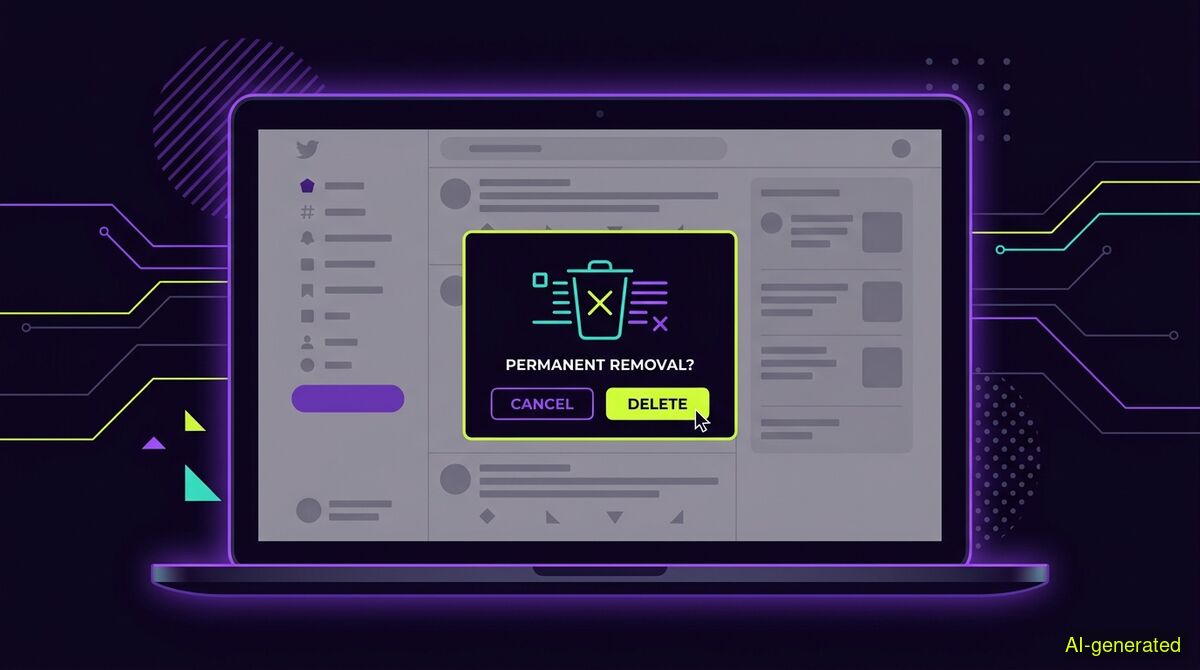
AI-generated illustration. A laptop screen displaying a social media timeline with a confirmation prompt to permanently remove selected posts.
Using a traditional tweet deleter is only as safe as the server holding your OAuth access token. Tools that require standing API permissions expose your account to hacking risks, whereas browser-based tools that operate without server access remove this vulnerability entirely.
If you want to clear out years of old posts from your timeline, you will quickly encounter tools asking for full access to your account. This prompts an obvious question: is a tweet deleter safe to use? The answer depends entirely on how the software connects to your profile and where it stores your permissions.
When you decide to clean up your digital footprint, doing it manually is often too slow. Clicking through thousands of old replies, reposts, and likes takes days of tedious work. Automated tools solve the speed problem, but they introduce significant security questions. Granting a third-party application the ability to read and delete your data is a serious security decision. To understand the risks, you have to look at the underlying architecture of how these tools operate.
Most traditional cleanup services operate in the cloud. When you sign up, you are redirected to the social media platform to authorize the application. This process uses a protocol called OAuth. By clicking the authorization button, you generate an access token. The third-party service stores this token on their own servers.
As long as that token remains active, the service has standing access to your account. This is incredibly convenient for the vendor, but it creates a permanent vulnerability for you. If the vendor's database is breached, the attackers gain access to every token stored there. They do not need your password to hijack your account. They simply use the stolen token to post spam, send malicious messages, or run scams under your name.
This is not a theoretical risk. A May 2026 incident report documented how a verified X account was compromised via a third-party OAuth application. The attackers used the standing access to publish unauthorized posts distributing a malware loader. When you hand over an OAuth token, your account is only as secure as the weakest link in that third-party company's server infrastructure.
Furthermore, relying on platform APIs introduces risks from the platform's own backend architecture. A March 2026 vulnerability disclosure revealed broken access control within X.com's account delegation system. The research showed that while the frontend user interface correctly restricted low-level contributors from accessing settings, the backend GraphQL API failed to enforce these same restrictions. An attacker could intercept a request and exploit the backend to silently disable security alerts. When you connect cloud applications via API, you are exposed to these complex backend vulnerabilities.
To eliminate the risks associated with server-side storage, you have to remove the server from the equation entirely. This is where browser-based tools offer a structural advantage.
The wyper Social Cleanup extension operates strictly within your own browser. It requires no password, no API key, and no OAuth authorization. It does not ask you to log in to a separate portal, and it does not connect to a cloud database to process your posts.
Instead, it functions using only basic browser permissions for storage and the active tab. It acts directly in the tab you already have open, operating as you while you are logged in. Because nothing leaves your browser, there is no central database of access tokens for a hacker to breach. We cannot leak your account credentials because we never ask for them and we never possess them.
This security model comes with a concrete trade-off. Because we hold no authorization and possess no access tokens, we cannot delete your posts on a schedule. We cannot clean up your timeline while you are asleep, and we cannot run maintenance tasks while you are away from your computer.
Competing cloud services can offer scheduled deletions precisely because you gave them the keys to your account. They run on their own servers and use your standing OAuth token to act on your behalf at any time of day. No tab, no run. That is the fundamental rule of a browser extension. If you want the security of keeping your account keys to yourself, you must accept that the tool only works while your browser is open and active. To make the process less tedious during a long run, the extension can show small games while it works through your list of posts.
The Social Cleanup extension is built specifically for X (formerly Twitter) and Instagram. It does not support other platforms. Within those two networks, it can clear a wide variety of content categories. You can bulk-delete your own posts, replies, comments, likes, and reposts or retweets. It also manages network connections, allowing you to bulk-unfollow accounts and remove followers.
When it comes to filtering what gets deleted, it is important to be clear about what the tool can and cannot do. There is no date filter and no date range available. If you are looking for a setting to simply delete tweets older than six months, that is not a built-in option.
The honest answer is that keywords are the available filter. You can instruct the extension to delete only items containing a specific word, a specific @name, or a specific #tag. You can enter several keywords separated by commas.
More importantly, there is an INVERT option. This allows you to delete everything that does NOT contain your specified keywords. For example, if you want to keep posts related to your professional industry, you can input your professional keywords, activate the INVERT toggle, and the tool will clear out all the casual posts and replies that fall outside of those parameters. This keyword filtering works specifically on X posts and replies.
Both the manual method and the extension offer a free tier. The free tier of the Social Cleanup extension allows for 50 deletions per day. For users who need to clear out massive archives quickly, a Pro upgrade removes this daily limit entirely.
The Pro tier also produces a deletion receipt when a run is finished. This receipt includes counts only, never the actual content of the deleted posts, along with a shareable proof link to verify the numbers. There is no export function and no download of your content provided by the tool. If you want to keep a record of your history, you must request your data archive directly from the social media platform before you begin the cleanup process.
Finally, you must understand that deletion is irreversible. The extension will state this clearly before it starts any run. Once a post, reply, or like is removed, it is gone permanently. Never begin a bulk deletion process with the assumption that customer support or platform administrators can restore your data later. They cannot.
| Feature | Manual cleanup | wyper Social Cleanup extension |
|---|---|---|
| Cost | Always free | Free tier available (50 per day) |
| Access method | Your own browser session | Your own browser session |
| Data leaves browser | No | No |
| OAuth required | No | No |
| Scheduling | Impossible | Impossible |
| Keyword filtering | Manual visual search | Built-in (include or invert) |
| Irreversible | Yes | Yes |
Who needs which: If you only have a handful of recent posts or likes to remove, manual cleanup is the best choice. It costs nothing, requires no installation, and keeps all actions entirely under your direct physical control. If you have hundreds or thousands of interactions to clear and want to target specific topics using keywords without handing over your account keys to a cloud server, the wyper Social Cleanup extension provides the necessary automation while maintaining browser-level security.
Using a tweet deleter is safe only if you carefully manage how it accesses your account. Tools that require standing OAuth permissions create permanent server-side vulnerabilities that can be exploited by hackers. By keeping the entire cleanup process within your local browser session, you eliminate the risk of token theft while accepting the necessary trade-off of leaving your tab open while it works.
The wyper Social Cleanup extension bulk-deletes posts, replies and likes, with filters instead of one tap per post.
The web app installs to your home screen in one tap. No store, no account.
Already using it? ★★★★★ Rate it on the Chrome Web Store. Reviews decide what others get shown first.
 wyper
wyper