Learn the difference between deleting a chat and unsending a message, what the recipient actually sees, and how to clear your Instagram inbox safely.
This article was researched and drafted with AI, then checked and released by a person before it went live. The illustration is AI-generated. Every factual claim links to its source, so you can verify it yourself.
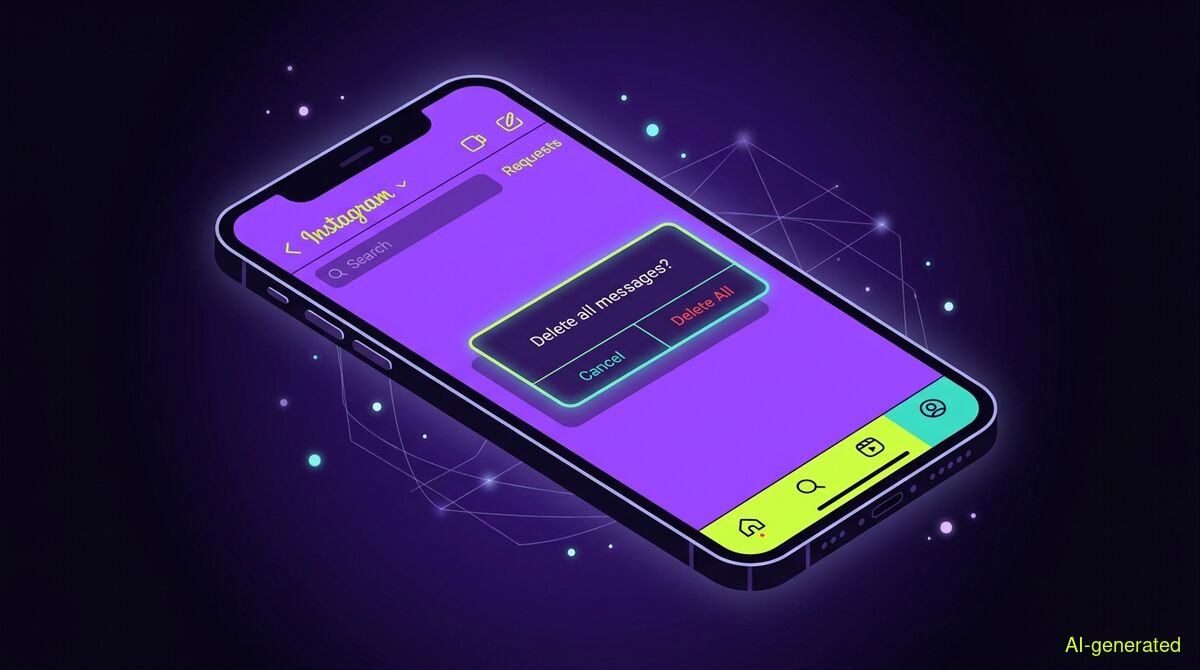
AI-generated illustration. A smartphone screen showing an empty Instagram direct message inbox with a confirmation overlay in the center.
To bulk delete Instagram DMs, you can use the multi-select tool on a Professional account or a browser extension to clear threads from your inbox. However, deleting a conversation only removes it from your view, meaning the recipient keeps their copy. If you want to remove specific messages from both sides, you must use the unsend feature instead.
When users search for how to bulk delete instagram dms, they usually have one of two entirely different goals in mind. Some people want to clear out a cluttered inbox to keep their app organized. Others have sent something they regret and want to wipe the evidence from the recipient's phone.
These two goals require completely different actions. On Instagram, clearing a chat from your inbox and retracting a message from a conversation are not the same thing. If you confuse the two, sensitive information will remain visible to the other person. This guide explains the platform mechanics, how to clean up your inbox efficiently, and what actually happens to your data when you press delete.
The distinction between deleting a conversation for yourself and removing messages from both sides is the most misunderstood aspect of Instagram direct messages. Before you start clearing your inbox, you must understand exactly what the platform allows you to do.
According to the official documentation at help.instagram.com, unsending a message removes it for everyone in the chat. You can unsend a message at any time. As MakeUseOf reported in 2024, there is no time limit for this action. You can unsend a text you sent five seconds ago or a photo you sent five years ago. Furthermore, SocialRails confirmed in 2025 that Instagram does not send a notification when you unsend a message. The text simply vanishes from the thread without leaving a placeholder or an alert behind.
Deleting a conversation is entirely different. As SocialzAI explains, deleting a chat thread removes it from your inbox only. The other person can still see the full conversation in their inbox. This is a local cleanup action. It organizes your screen, but it does not protect your privacy if you shared something you now want to hide. Gainsty summarizes this perfectly: one action cleans up your inbox, while the other actually removes a message from the conversation.
If your goal is to remove messages from the recipient's phone, you cannot do this in bulk. Instagram requires you to unsend messages one by one.
To unsend a message, open the conversation in your Instagram app. Tap and hold the specific message you sent. A menu will appear on the screen. Tap the option labeled "Unsend" and confirm your choice. The message will immediately disappear from your view and from the recipient's view. You must repeat this process for every single message you want to retract. Because this is a manual, single-item action, it is highly tedious for long conversations, but it remains the only way to remove content from the other person's device.
If you simply want to tidy up your own inbox and do not care that the recipient keeps their copy, you can delete entire conversations.
On a standard personal Instagram account, you must delete conversations individually. On iOS, swipe left on a chat thread in your inbox and tap "Delete". On Android, tap and hold the conversation, then select "Delete" from the menu.
If you have a Professional or Creator account, Instagram provides a native bulk-select tool. Open your inbox and tap the list icon with three dots at the top of the screen. You can then tap to select multiple conversations at once and hit "Delete" at the bottom to remove them all simultaneously. This is a fast and free way to clear your screen, but remember that the data only disappears from your device.
If you have a standard personal account and hundreds of old conversations to clear, swiping them one by one is frustrating. This is where automation tools become useful.
You can use the wyper Social Cleanup browser extension to automate this repetitive task. The extension runs directly in your Chrome browser. It works by automating the clicks required to remove items from your view. For a comprehensive look at all inbox management strategies, you can read our detailed pillar guide on how to manage and delete Instagram DMs.
When using the extension for direct messages, you must keep the core limitation in mind: wyper deletes whole conversations on YOUR side, but the recipient keeps their copy. Deleting is not unsending. The tool clears your inbox exactly as if you had swiped and deleted each chat manually.
The extension operates under a strict privacy model. It requires no password, no API key, and no OAuth authorization. It uses only the storage and activeTab permissions in your browser. It simply acts in the tab you already have open, logged in as yourself. This design is a deliberate trade-off. Competing services can often delete posts or messages on a schedule while you are asleep, precisely because you granted them standing OAuth access to your account and they run on their own servers. They can do it because you gave them the keys. We cannot offer background scheduling because we never ask for your keys. No open browser tab means no cleanup run.
The extension includes a free tier that allows 50 deletions per day. If you upgrade to Pro, it removes the daily limit and provides a deletion receipt. This receipt includes numerical counts of what was removed and a shareable proof link, but it never stores the actual content of your messages. While the tool features a keyword filter to delete specific items containing a word or hashtag (which works effectively on X posts and replies), it does not feature a date filter. There is no built-in option to "delete messages older than 30 days". Furthermore, deletion is completely irreversible. The extension will warn you before it starts, and you can play small built-in games while a long cleanup run works through your list.
Even after you clear your inbox or unsend a message, the digital footprint might survive elsewhere. You should never assume that a deleted message is permanently erased from existence.
Furtiva notes that while a message may disappear from the thread, copies often persist in device backups, notification caches, and on the recipient's phone if they took a screenshot. If the other person saved a photo to their camera roll before you unsent it, your action in the app will not delete the file from their device storage.
Furthermore, server retention policies apply. According to a technical review by TechGF, the mechanics of deleting messages are governed by complex server-side protocols. Removing a message locally does not instantly purge it from Meta's server backups. In legal contexts, Justia highlights that Instagram messages can remain on the platform's servers for extended periods. If a message is deleted on both ends, it usually cannot be recovered through standard user data requests, but law enforcement channels may still have access to historical server snapshots. Finally, Technobezz warns that while you cannot restore deleted messages through the Instagram app, users often find surviving text fragments by checking the notification history on their smartphones or smartwatches.
| Feature | Manual cleanup | wyper Social Cleanup extension |
|---|---|---|
| Cost | Always free | Free tier (50/day), Pro for unlimited |
| Account access required | None (uses native app) | None (runs in your active browser tab) |
| Can unsend messages (both sides) | Yes (one by one) | No (deletes conversations on your side only) |
| Removes items from your inbox | Yes | Yes |
| Bulk selection | Only on Professional accounts | Yes |
| Requires OAuth or API keys | No | No |
| Background scheduling | No | No |
| Data leaves your device | No | No |
Who needs which: You need the manual cleanup method if you want to unsend specific messages so the recipient can no longer see them, or if you have a Professional account that already includes native bulk-selection tools. You need the wyper Social Cleanup extension if you have a standard personal account, want to clear hundreds of old conversations from your own inbox without swiping them individually, and refuse to hand over OAuth account access to third-party servers.
Clearing your Instagram inbox and retracting messages are two completely different actions. You can bulk delete conversations to tidy up your own screen, but the recipient will always keep their copy of the chat. If you need to remove a message from both sides, you must manually unsend it one bubble at a time.
The wyper Social Cleanup extension bulk-deletes posts, replies and likes, with filters instead of one tap per post.
The web app installs to your home screen in one tap. No store, no account.
Already using it? ★★★★★ Rate it on the Chrome Web Store. Reviews decide what others get shown first.
 wyper
wyper