Deleting your ChatGPT conversations does not erase your saved memories. Learn how the two systems differ and where to permanently clear your data.
This article was researched and drafted with AI, then checked and released by a person before it went live. The illustration is AI-generated. Every factual claim links to its source, so you can verify it yourself.
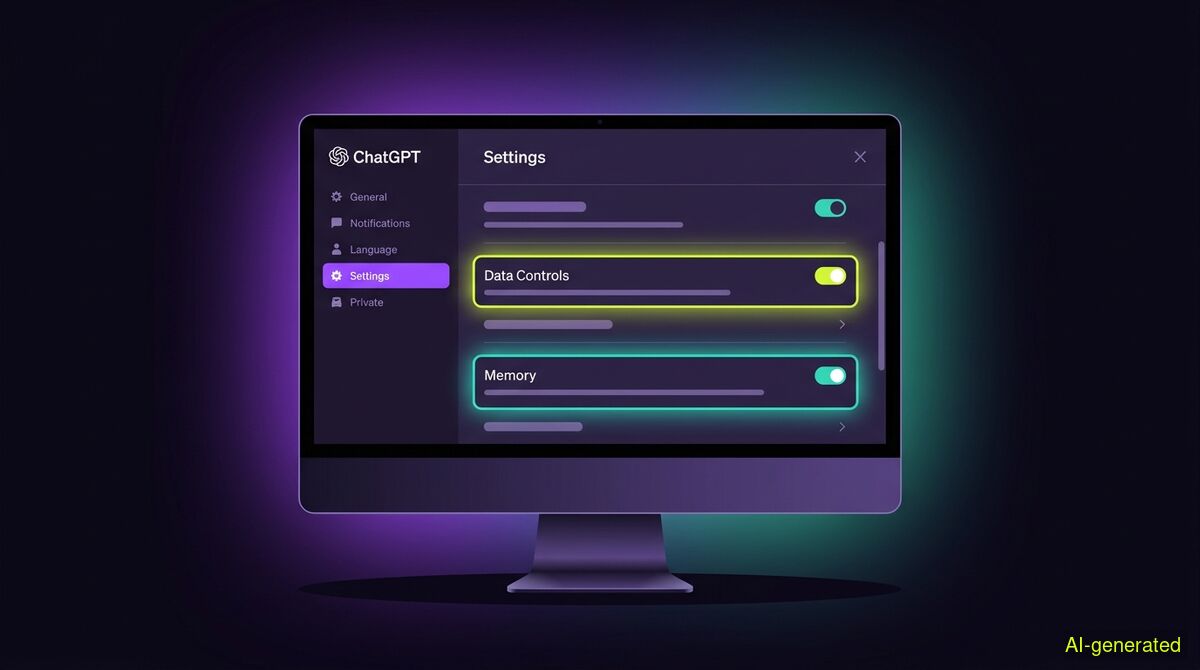
AI-generated illustration. A computer monitor displaying a ChatGPT settings menu with the data controls and memory sections highlighted.
Deleting a conversation in ChatGPT removes the chat itself, but any facts the system saved to its memory during that chat remain permanently on your account. To completely clear what ChatGPT knows about you, you must delete both your chat history and your saved memories in the settings menu.
Many users assume that clearing their screen clears their data. When you ask an AI assistant to forget something, the exact mechanism you use matters. The difference between chatgpt memory vs chat history is the difference between a temporary conversation and a permanent profile. If you only delete your chats, the personal details you shared along the way are still saved to your account.
As AI chatbots become integrated into daily workflows, people use them to draft emails, write code, and organize their schedules. In the process, they share a massive amount of personal context. Understanding how this data is stored is critical for managing your digital footprint.
To understand what happens to your data, you must understand that ChatGPT uses two distinct systems to remember what you say. These systems operate independently of one another.
The first system is your chat history. This is the immediate context of a single conversation thread. When you scroll up in a chat, the AI remembers what you typed ten minutes ago. This context is strictly confined to that specific URL. If you start a new chat, the AI has no knowledge of the previous thread's context.
The second system is the memory feature. This is a cross-chat database attached to your user profile. As ChatAI Guide explains, saved memories are persistent notes that ChatGPT keeps until you explicitly delete them. While chat history is temporary and restricted to one thread, the memory system actively extracts facts from your conversations (such as your profession, your tone preferences, or your family members) and stores them permanently. It then applies these facts to every new chat you start.
This distinction has caused confusion among users. A user on the OpenAI community forums pointed out that saved memories are specific notes users can review and edit, while chat history simply allows the AI to use context from previous prompts. They are entirely different controls governing entirely different data.
When you decide to clean up your account, you might click the delete button on a specific conversation. Doing this removes the text of that exchange from your view. According to OpenAI's privacy updates, deleted conversations are automatically removed from their systems within 30 days.
However, this deletion cycle only applies to the chat log itself. If the memory feature was active during that conversation, the AI likely extracted facts and saved them to your profile. As the Nonimo guide points out, a saved memory generated from a chat survives the deletion of that chat.
For example, if you tell the AI the name of your dog during a chat, it will save that fact to its memory. If you then delete that chat, the conversation log is scheduled for deletion, but the fact about your dog remains in your memory bank. The next time you ask the AI to write a story, it might include your dog's name, even though the original conversation is gone.
Furthermore, the Times of India notes that users cannot retrieve deleted conversations through the interface or support channels. Once you delete a chat, you lose the ability to see exactly what you said, but the AI retains the summary of facts it saved to its memory.
To completely clear what ChatGPT knows about you, deleting your chat history is not enough. You must also clear the memory database.
You can manage these settings directly in the application. Open your settings menu, navigate to the personalization tab, and select the manage memory option. Here, you will see a list of every fact the AI has extracted about you. You can click the trash icon next to individual facts to delete them, or you can clear the entire memory bank at once.
It is also worth noting how these memories travel. For users on enterprise plans, the OpenAI Help Center states that if you merge a personal workspace into a Business account, supported saved memories can transfer to the destination workspace. This proves that memories are modular data blocks, entirely independent of the original chat logs. If you want to opt out of this data collection entirely, Android Authority recommends reviewing your data controls and turning off the memory toggle completely.
Cleaning up your digital footprint requires knowing exactly where your data lives and how to remove it. While ChatGPT handles your private prompts, your public data lives on social media platforms. Just as ChatGPT requires separate steps for clearing chats and memories, platforms like X (formerly Twitter) and Instagram require you to manage your posts, replies, and likes individually.
If you want to clear old social media posts, you have two choices: click through your timeline to delete items one by one, or use an automated tool. We built the wyper Social Cleanup extension to handle this process directly in your browser. It is important to clarify that this extension is exclusively for X and Instagram. It cannot interact with ChatGPT, and it cannot delete your AI chat history.
The extension operates on a strict keyword filter. You can instruct it to delete only items containing a specific word, a tagged username, or a hashtag. You can also use an INVERT option, which deletes everything that does not contain your chosen keywords. There is no date filter and no date range option built into the tool, meaning you cannot tell it to delete posts older than a certain date. The filtering is entirely keyword-based.
Because the tool runs entirely in your active browser tab, it requires no password, no API key, and no OAuth authorization. This design choice comes with a deliberate trade. Because we hold no authorization and never ask for the keys to your account, the extension cannot delete posts on a schedule or run in the background while you are away. Competing cloud services can offer background scheduling precisely because the user granted them standing account access to run on their servers. With wyper, if the tab is not open, the tool does not run.
Both wyper products have a free tier. For Social Cleanup, the free tier allows 50 deletions per day. The Pro tier removes this limit and provides a deletion receipt. This receipt includes a count of deleted items and a shareable proof link, though it never exports or downloads your actual content. Before you start, the extension will warn you that deletion is irreversible. Once a post is gone, it cannot be restored.
| Feature | Manual cleanup | wyper Social Cleanup extension |
|---|---|---|
| Platforms supported | Any platform you can log into | X and Instagram only |
| Account access required | None (you do it yourself) | None (runs in your logged-in browser tab) |
| Cost | Free | Free tier (50 per day), Pro tier for unlimited |
| Filtering options | None (scroll and search manually) | Keyword filter, multiple words, INVERT option |
| Date filtering | Manual date scrolling | None (strictly keyword-based) |
| Background scheduling | No | No (requires an open, active tab) |
| Irreversible deletion | Yes | Yes |
Who needs which: Manual cleanup is the best route if you only have a few recent posts to remove, as it costs nothing and requires no software installation or data leaving your browser. The wyper Social Cleanup extension is designed for users who need to clear hundreds of old posts, replies, or likes based on specific keywords, and who prefer to keep the process inside their own browser rather than handing OAuth access to a third-party server.
Deleting a ChatGPT conversation only removes the chat log, leaving any facts the system saved to its memory completely intact. To truly clear your data, you must delete your chat history and clear your saved memories in the settings menu separately.
The wyper Social Cleanup extension bulk-deletes posts, replies and likes, with filters instead of one tap per post.
The web app installs to your home screen in one tap. No store, no account.
Already using it? ★★★★★ Rate it on the Chrome Web Store. Reviews decide what others get shown first.
 wyper
wyper